
The NextGen of Online Banking
Experience the new online and mobile banking.

We’re excited to share the next generation of SkyPoint’s online and mobile banking experience! We’re always looking for better ways to help you manage you money, and this upgrade will make your experience simpler, faster, and more personalized.
Look for what’s new:
- Multi-Factor Authentication Login Screen
- Personalized Dashboard
- Updated History Page
- Account Preferences
- Remote Deposit
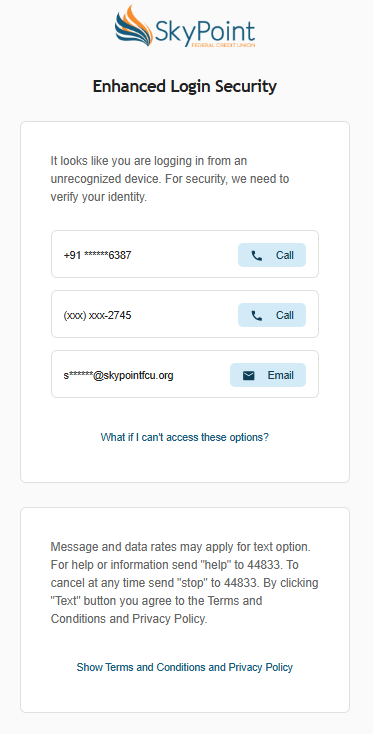
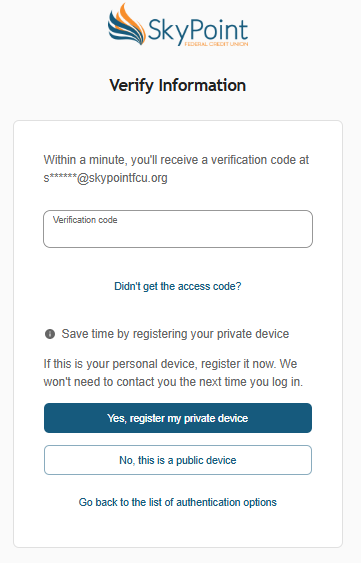
Multi-Factor Authentication Login Screen
Personalized Dashboard
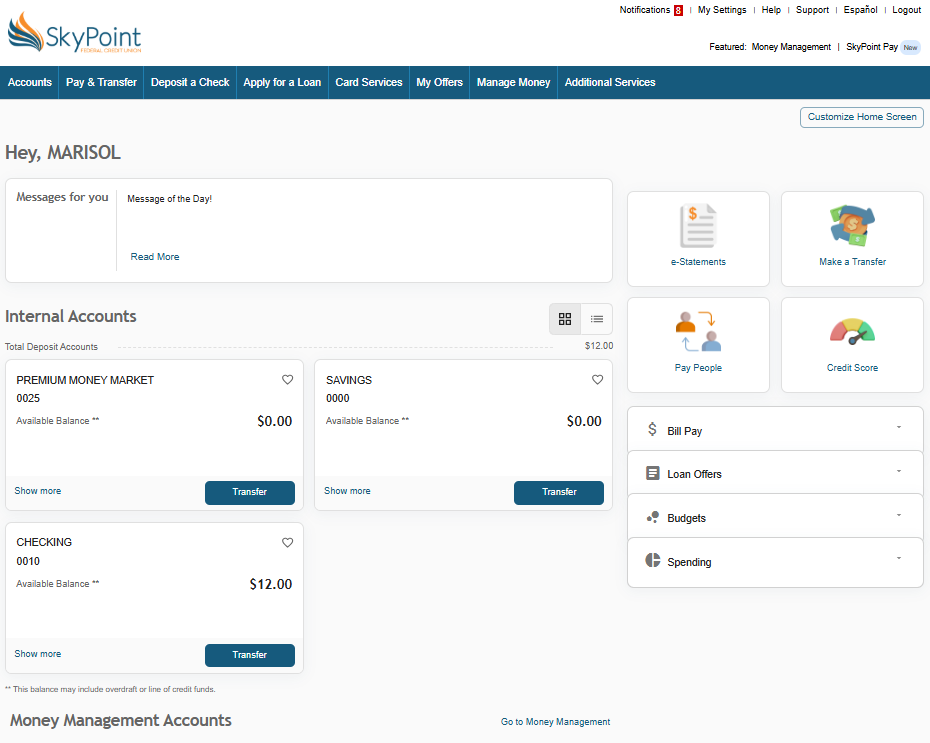
The new online banking home page has been upgraded with a new look and the ability for you to personalize your experience.
- Personalized Home Screen: You can change your greeting name and control your on-screen widgets.
- Add widgets to your “favorites,” expand, collapse, and reorder them.
- Messages for You: Display messages from SkyPoint to you. Click on “Read More” to view all messages available and read them.
- My Accounts Widget: Get a quick overview of your accounts. You can favorite accounts that you want to show on the top of the page.
- Show More: Get a quick peek of the account information and the five most recent transactions for each account.
- Favorites: When enabled, the heart icon favorites an account. Once the account is favorited, it will be moved to the top of the accounts section.
- Quick Action Buttons: Gives you four buttons to quickly access e-Statements, Make a Transfer, Pay People, and Credit Score.
- Widget Stack: The widget stack includes Bill Pay, Loan offers, Budgets, and Spending. These can be rearranged and favorited to display by you
- Pay & Transfer:
- Make a transfer: Create an internal transfers between your SkyPoint accounts.
- My External Accounts: Transfer money between your SkyPoint account and accounts at other financial institutions.
- Pay People: Send money to other people by email address or phone number.
Updated History Page
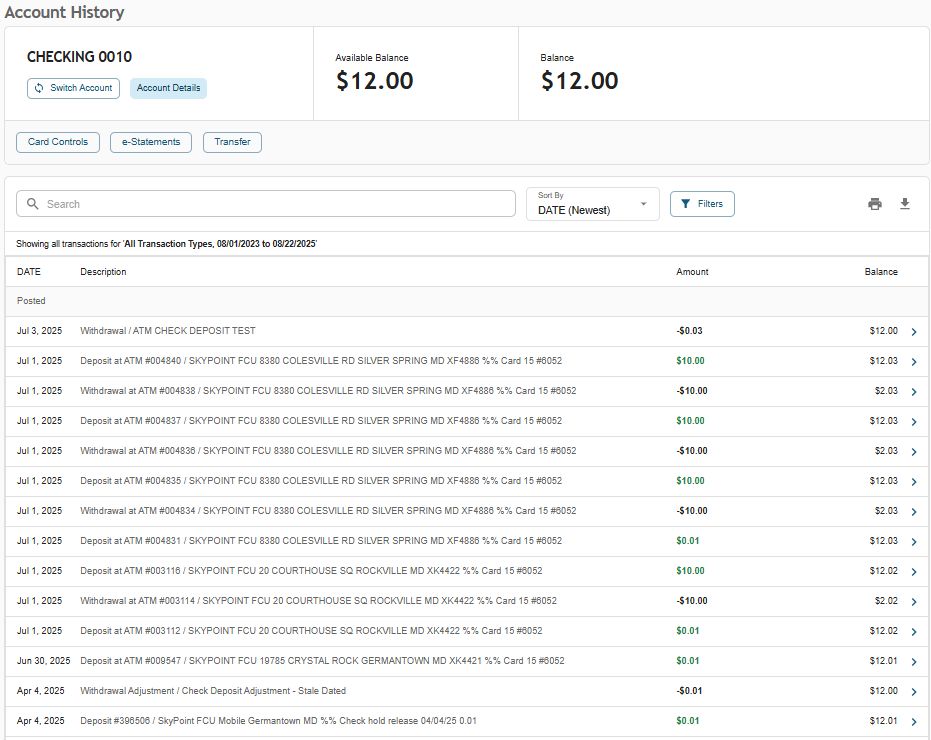
The history page features some new features to find transaction information easier.
- Account Details: Switch the account being viewed or view further account details.
- Button Links: Get quick access to card controls, e-statements, and transfers.
- Search & Filters: Use the Search and Filters buttons to search for a specific record. Filters include Transaction Type, Date Range and Transaction Amount.
- Print or Export: Print or export a file with the Transaction History.
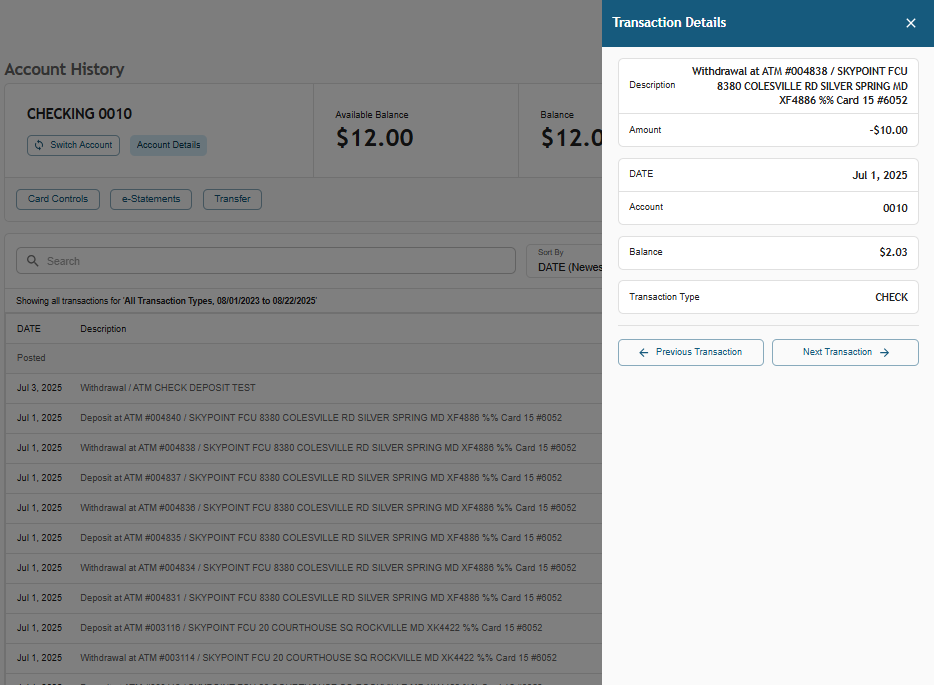
View specific transaction record information. A screen will open from the right side for quick access.
Account Preferences
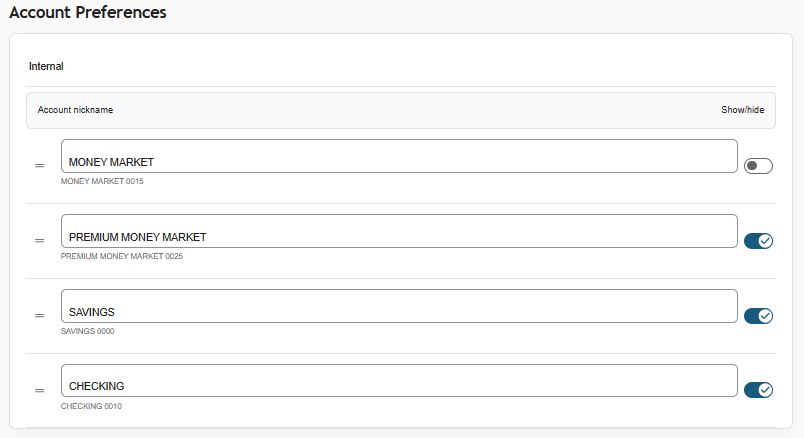
Account Preferences has a new look and feel. You can still rename accounts, re-order accounts and hide accounts.
Remote Deposit
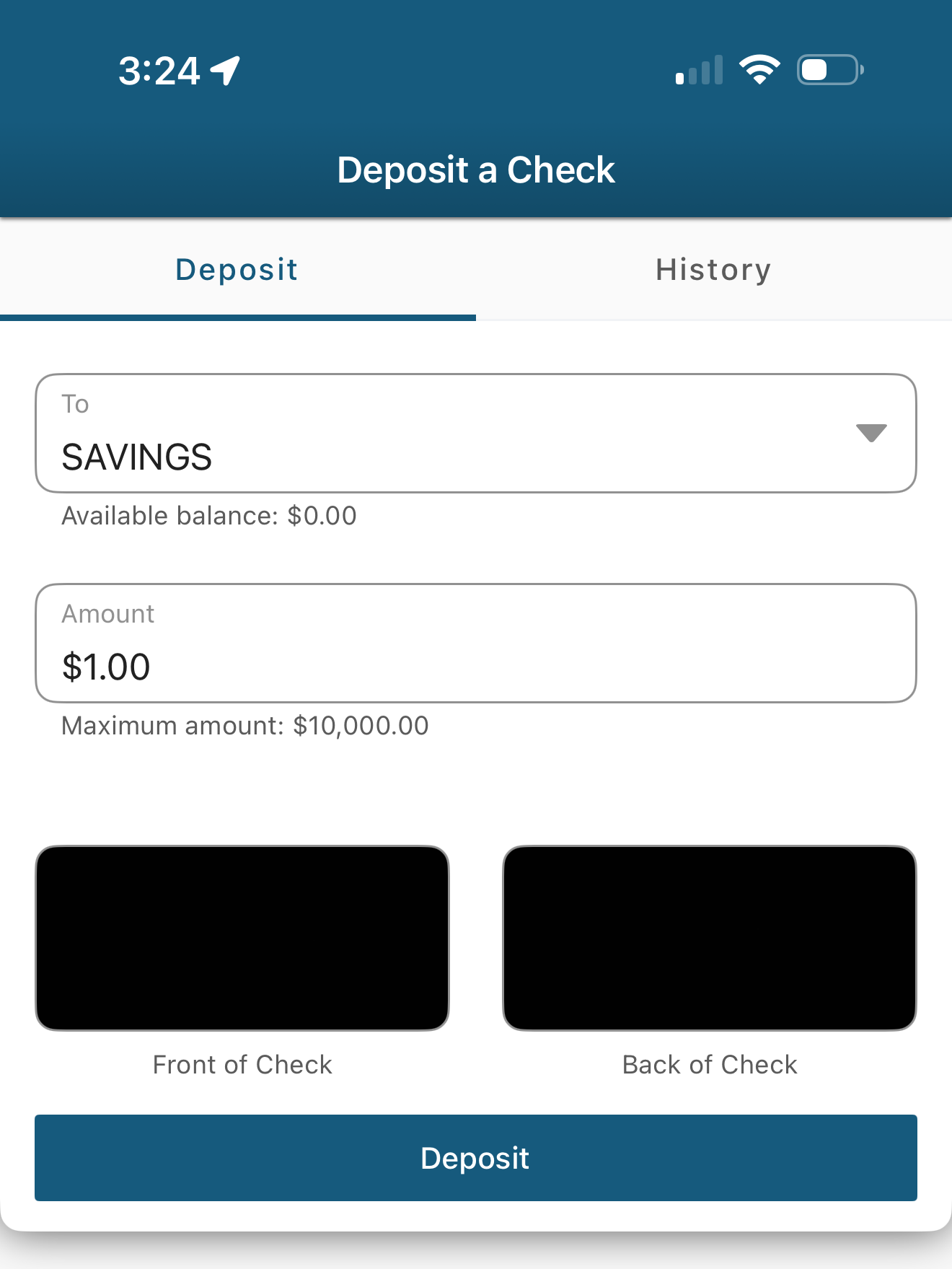
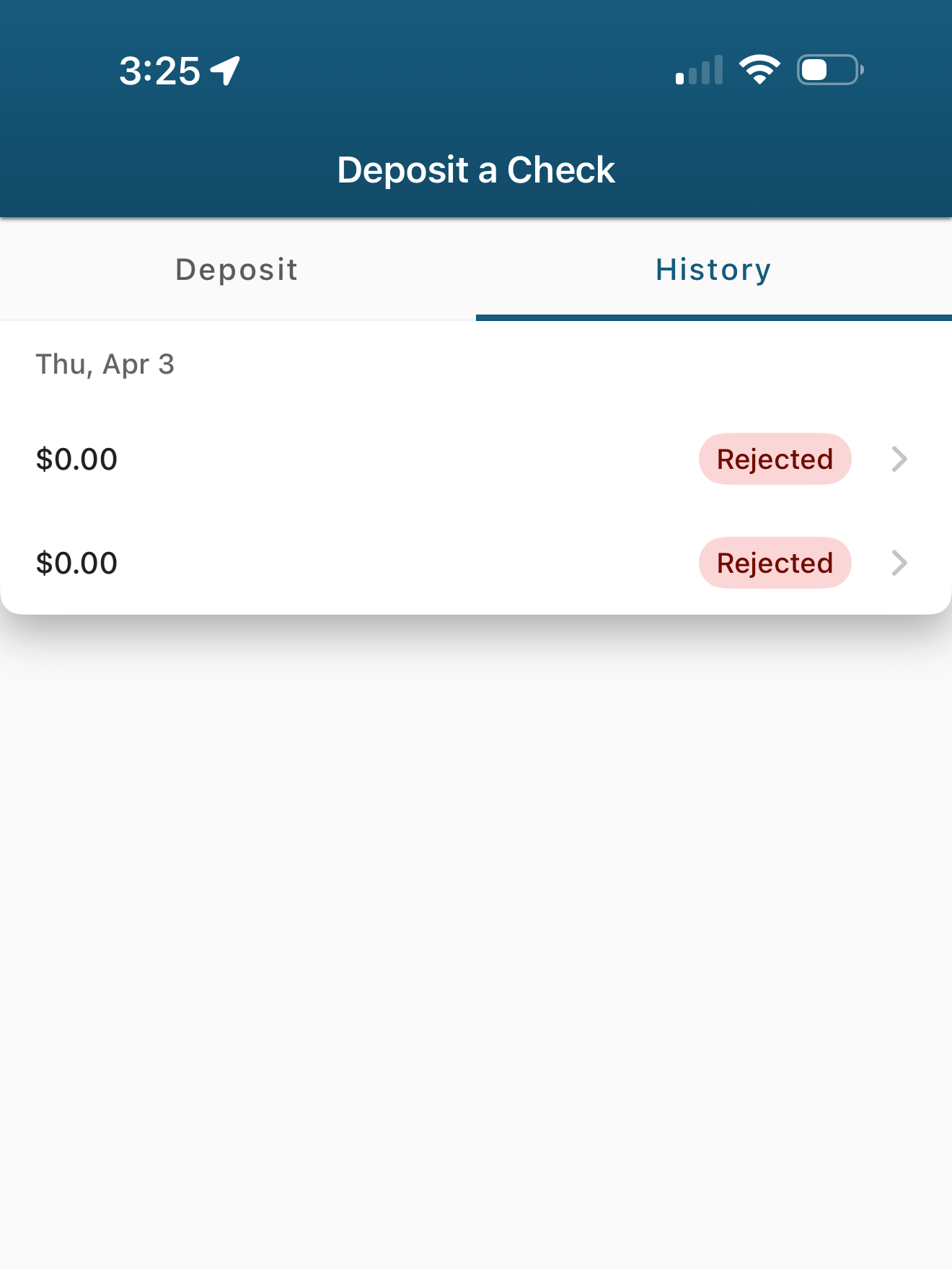
Mobile deposit has a new look but remains simple, quick, and secure.